As you look for an audio recorder like Audacity, a core requirement is to find tools that offer robust functions. Audacity is widely recognized for its versatility, but a lot of users seek alternatives for their unique recording needs. Luckily, several audio recorders share similar capabilities and offer powerful editing tools.
In this article
This deep dive will explore some of the best audio recorders, like Audacity, highlighting their features. Follow along to check how they can simplify your recording experience without adding complexity.
Part 1. What Are Some Top Limitations of Using Audacity?
Knowing why you need to find a better alternative is the first aspect to ensure you don't fail. Although Audacity offers great functions, it is not the perfect fit for every user. These limitations mean users will need to hunt for better options. You need to find something that may better suit specific recording or editing needs. Summarized below are some key factors that force users to find Audacity alternatives:
- Steep Learning Curve
Although Audacity is not lacking in a range of functions, new users can often find it overwhelming. The interface may seem cluttered, and advanced features can require additional time and effort to learn.
- Limited Support for Multi-Track Editing
While Audacity allows multi-track editing, it isn’t as effortless or intuitive as other professional tools. Some users find the experience a lot more complicated compared to other software.
- No Native Support for VST3 Plugins
Audacity supports VST2 plugins but lacks support for the newer VST3 format. This very fact limits access to some of the latest plugins used in the industry.
- Lack of Real-Time Effects Processing
Audacity requires you to apply effects after recording, and it doesn't allow for real-time processing. Due to that, it can slow down the workflow for live recording sessions.
- Audio Quality and Export Options
While Audacity offers standard export options, it lacks high-quality audio processing and export. A lot of other professional software has this ability, making them more appealing.
Part 2. 11 Best Audacity Alternatives: Changing the Dynamics
When it comes to available choices, there is no real lack of them. Different software options can provide unique features and more tailored user interactions. Finding the one offering distinct capabilities to help you achieve high-quality recordings and efficient sound editing is the goal. Explored below in detail are the best 11 audio recorders like Audacity:
- Wondershare DemoCreator [The Best Multi-Functional Editor & Recorder]
Among the various Audacity alternatives, DemoCreator stands out as a top option. Unlike traditional audio recorders, it combines screen recording and audio editing into a single tool. That makes it ideal for those who require an all-in-one solution. With its simple design, users can easily record audio, add effects, and edit sound.
Furthermore, you get an impressive range of features like multi-track editing and noise reduction. Its support for a wide array of file formats means you can run any sort of project without worry. For those looking to get started quickly without a steep learning curve, DemoCreator is the way to go. It is not just an audio editor but a comprehensive solution to get your professional results.
Key Features
- Dual Audio Source Recording: Allows simultaneous capture of system audio and microphone input to enable clear voiceovers.
- Multi-Track Audio Editing: Supports working on multiple audio tracks separately to facilitate complex sound design and voiceover integration.
- Native Sound Effects Library: A vast collection of royalty-free sound effects to enrich your recordings and projects is included.
- Scheduled Recording: Enables setting up automatic recordings at specified times, ideal for capturing live events or unattended sessions.
Guide to Record Audio on DemoCreator Software
Step 1Start the Audio Recording via the REC Button
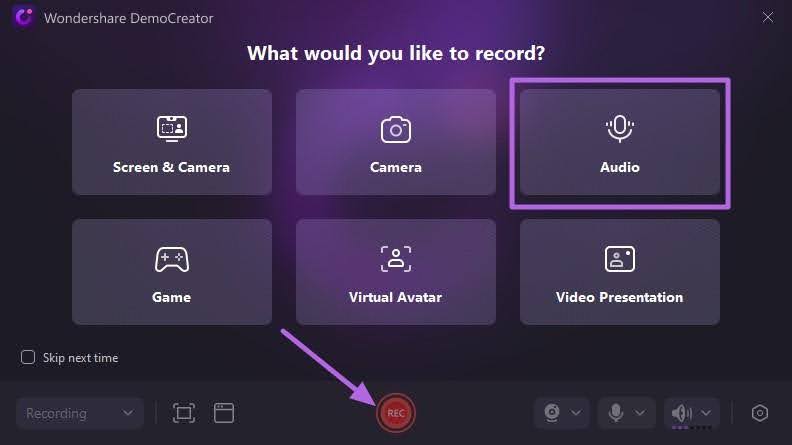
Get DemoCreator up and running on your system and tap the “Video Recorder” option from the main screen. On the following screen, choose “Audio” and hit the “REC” button to get started.
Step 2Listen to the Recorded Audio and Edit Further
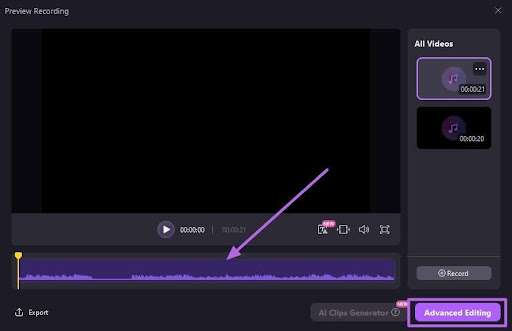
When you are done, click the square red icon to conclude the recording and wait for its “Preview” to appear. Here, you can play the recorded sound and perform basic editing like trimming or go for “Advanced Editing.”
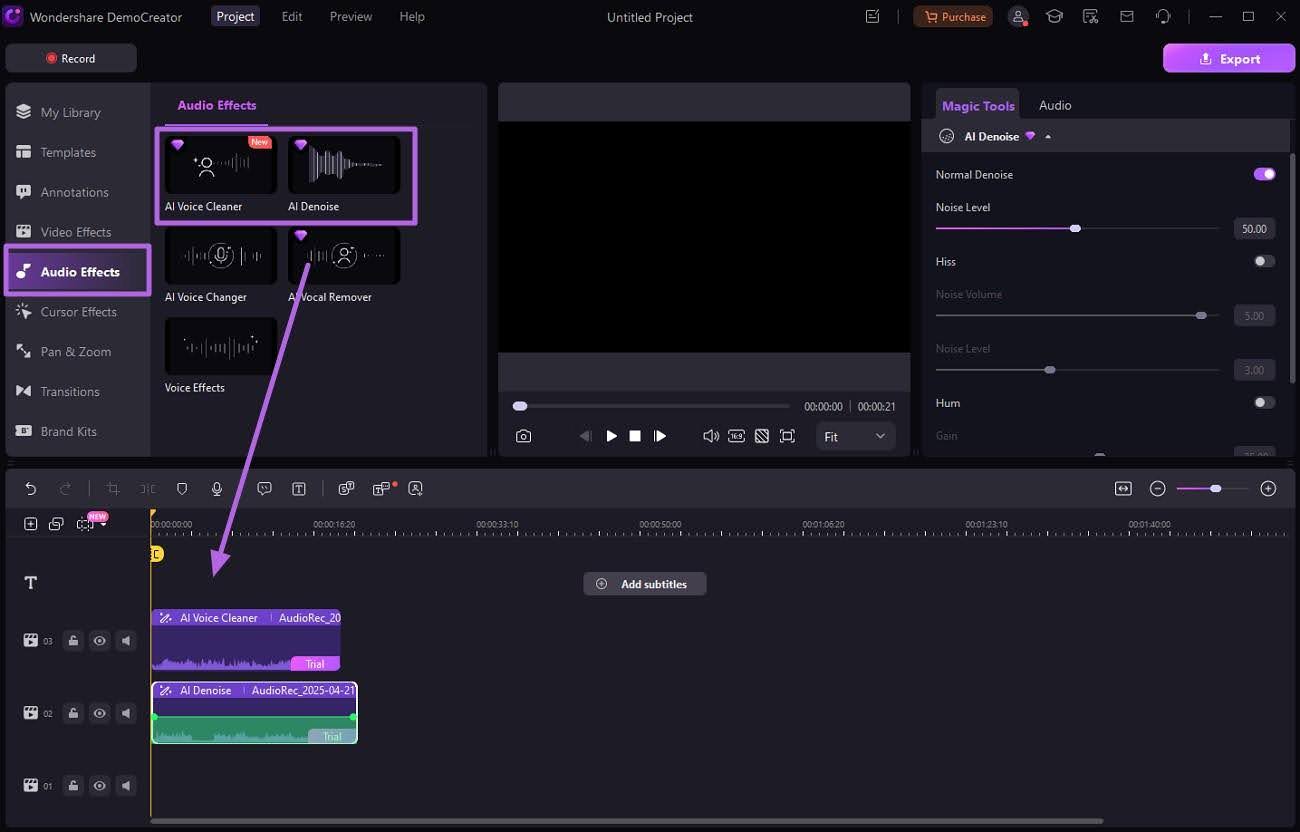
Step 3Run AI Tools to Make the Sound Cleaner and Better
There are a lot of options to take the recorded audio to the next level. You can move to “Audio Effects” and opt for AI features like “AI Voice Cleaner” and “AI Denoise” to get rid of impurities.
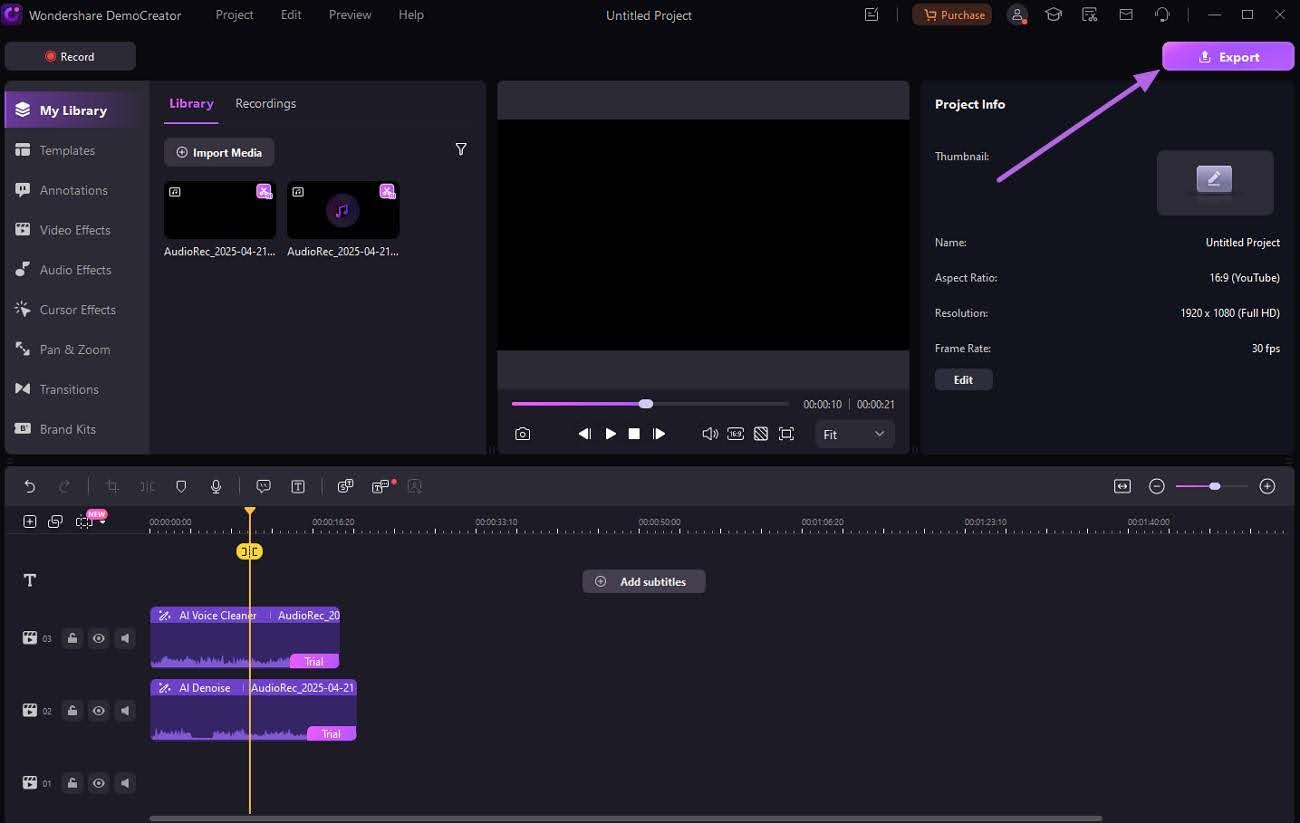
Step 4Export the Edited File for Sharing or Other Uses
As you complete the desired editing, tap the “Export” button in the upper right section. Here, decide the preference for the resulting file and hit “Export” again.
- Adobe Audition [Best For Professional Audio Management]
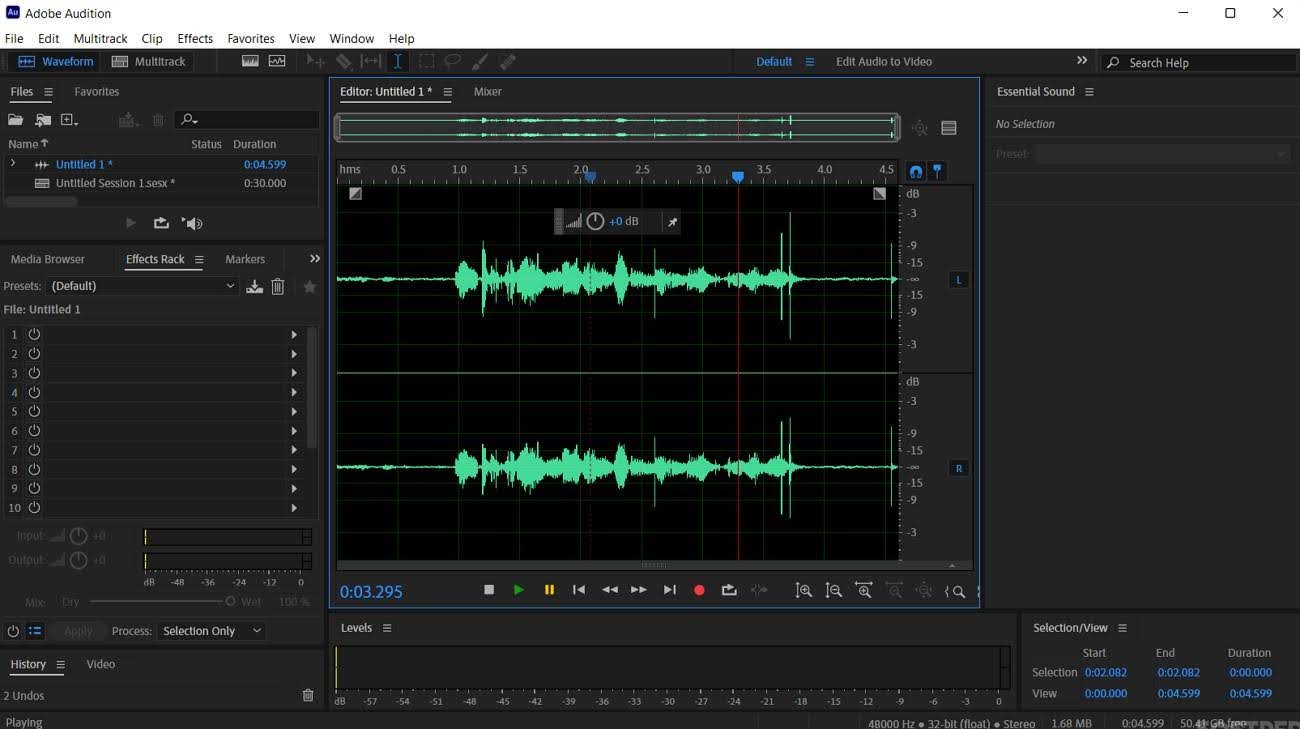
For those seeking a professional audio recorder like Audacity, Adobe Audition delivers a good solution. Built for audio precision, it caters to everyone from podcasters to sound designers. The robust choice merges multi-track editing with advanced restoration tools to make the program an ideal choice for all. Its deep integration with Adobe Creative Cloud offers unmatched control. Users get to edit every aspect of recording, mixing, and sound enhancement.
Key Features
- Allows precise identification and removal of unwanted sounds to smooth the core audio.
- Simplifies audio mixing and mastering with dynamic presets and intuitive controls.
- Enables precise synchronization of dialogue replacement recordings with original video footage.
- GarageBand [A Perfect macOS Audio Manager]
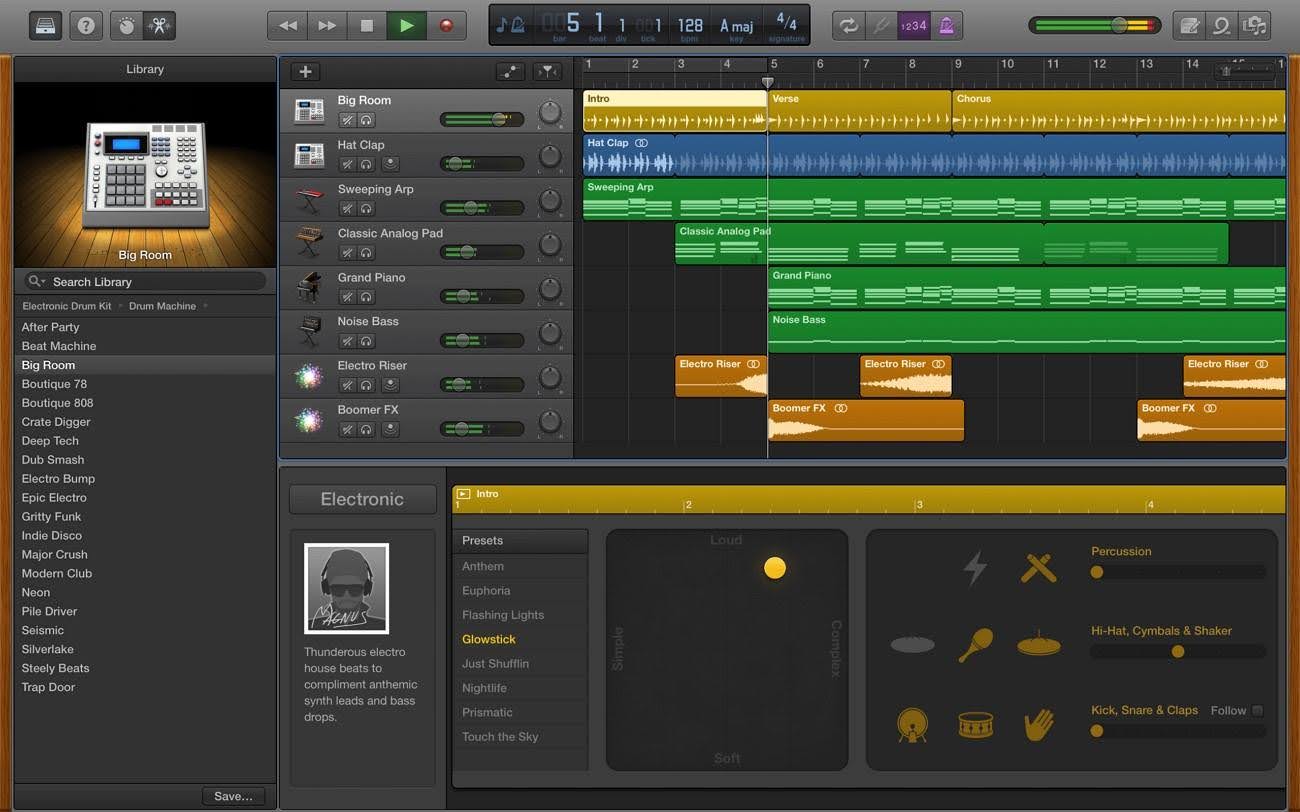
Designed specifically for Apple users, GarageBand offers an effortless way to record and edit audio. It combines simplicity with powerful features, making it the perfect choice. Users with professions from musicians and podcasters to casual creators find it suitable. With functions like virtual instruments and pre-made loops, it is built to inspire creativity. Plus, it is the perfect choice for Mac or iOS devices.
Key Features
- Allows users to edit performances down to individual notes and decibel levels with detailed control.
- The Audio Editor offers a detailed view of each region, enabling users to move, trim, split, and join audio regions.
- Users can enhance their sound with built-in audio effect plugins, including compression and visual EQ.
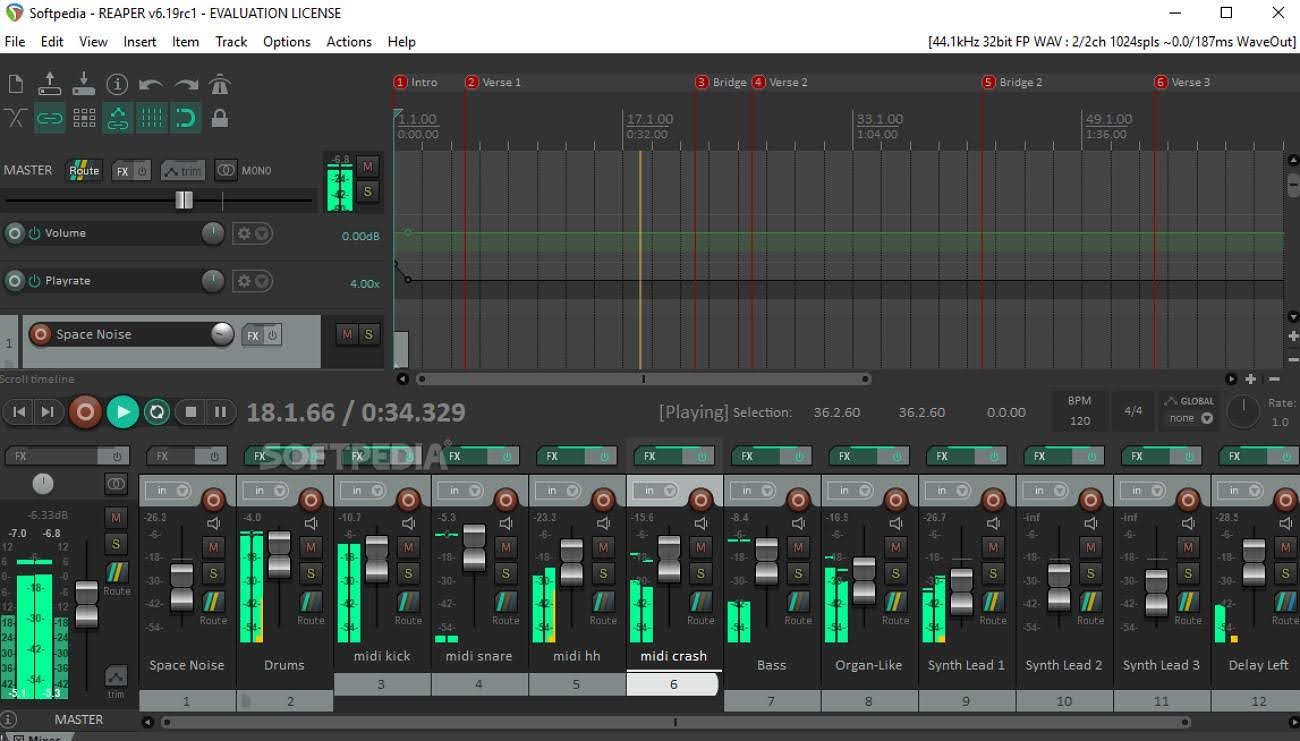
4. REAPER [Best For Tailor-Made Audio Recording & Editing]
Perfectly tailored for those who want full control without a bloated interface, REAPER is an incredible choice. Its flexible audio recording and editing environment turns the whole process into something simple. Despite its compact size, it supports powerful multi-track editing. Moreover, external plugin compatibility and customizable workflows are included. Users appreciate efficient performance and affordable licensing of this Audacity alternative. Furthermore, REAPER provides high precision and depth for audio production.
Key Features
- Offers powerful audio and MIDI routing with multichannel support for complex signal paths.
- The usage of 64-bit internal audio processing turn it into an audio rendering and editing powerhouse.
- Supports thousands of external plugin effects and virtual instruments, like VST, VST3, LV2, AU, etc.
- Wavacity [Best For Audacity-Interface Lovers]
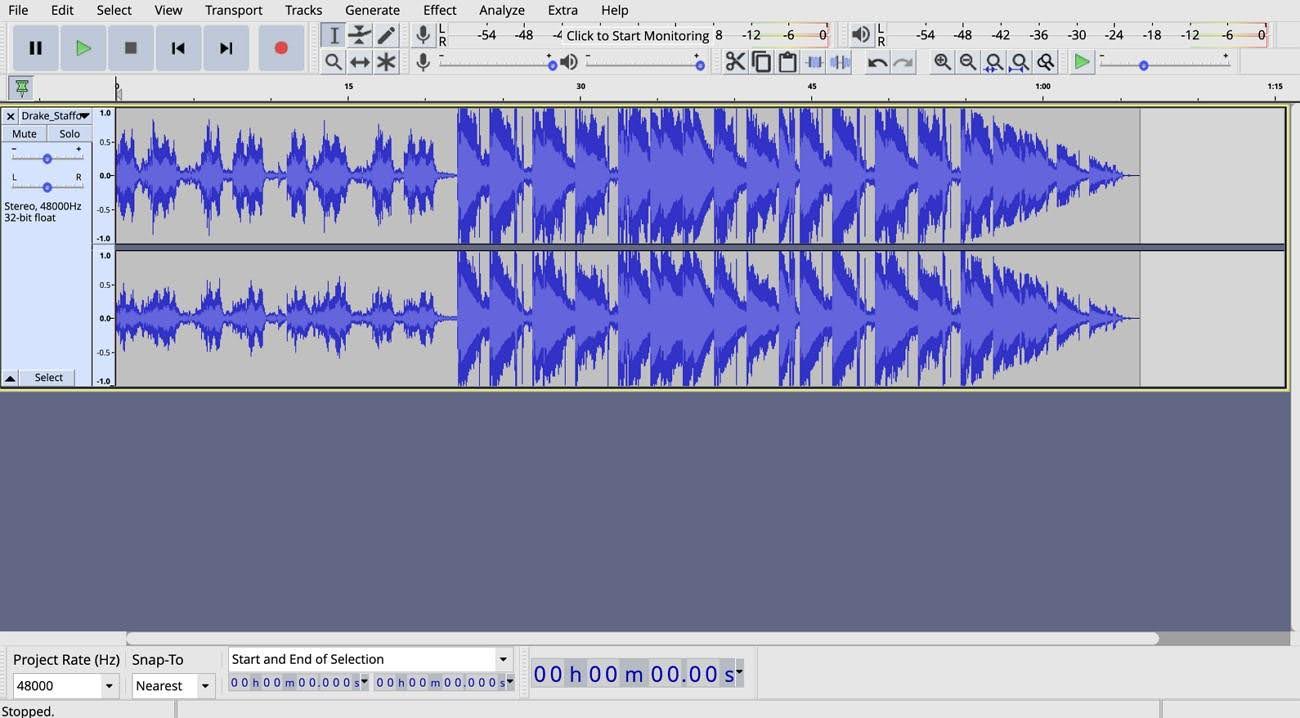
Developed as a modern spin-off of the classic audio recorder like Audacity, Wavacity is a popular choice. It brings a fresh and intuitive approach to open-source audio recording. The program is compatible with many legacy Audacity features while adding a sleeker interface. When trimming tracks or layering effects, it delivers smoother performance across devices. Wavacity is for the ones who loved Audacity’s functionality but wanted a much cleaner and more responsive platform.
Key Features
- Operates directly within your web browser, eliminating the need for installation or any other hassle.
- Working under the GNU GPL v2, Wavacity make everything transparent for users to view and edit.
- Retains a similar interface and functionality due to being a port of Audacity, making it a familiar choice.
- Ocenaudio [Best For Audio Waveform Adjustments]
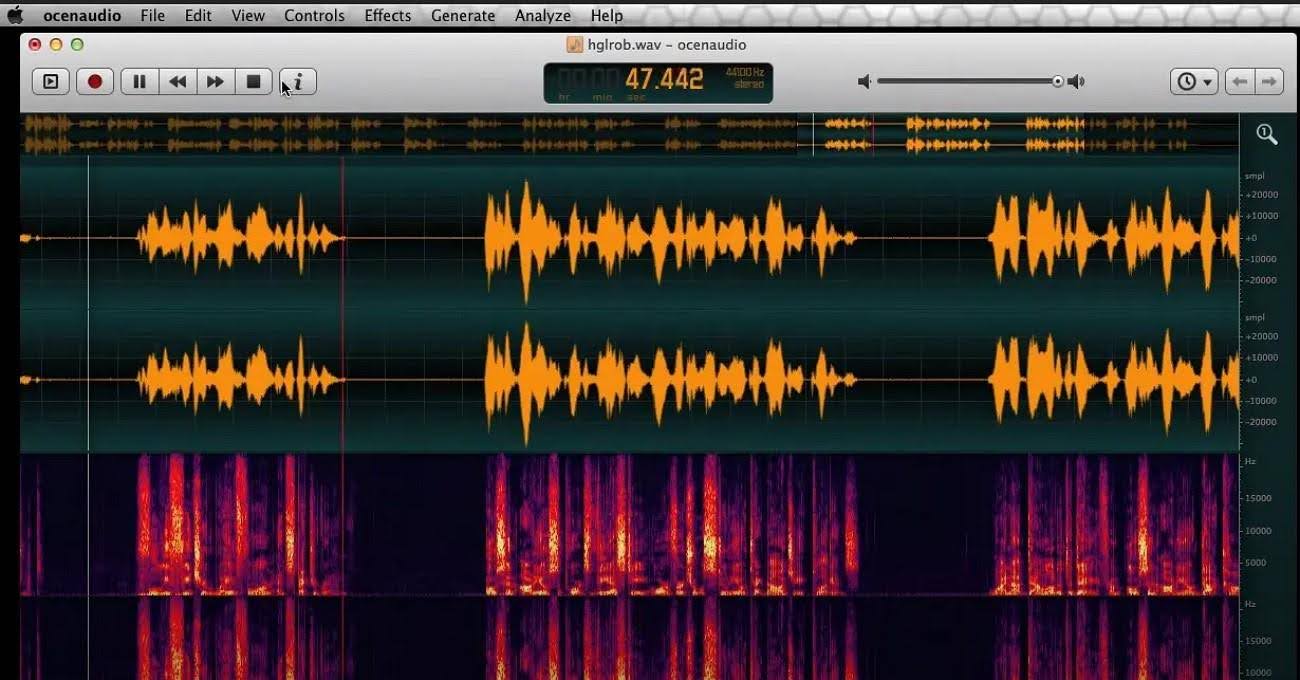
Made for simplicity without compromising audio quality, Ocenaudio is a great alternative. It is widely favored for its efficient recording and editing approach. Its clean interface supports real-time previewing of effects and VST plugin integration. A beginner editing podcasts or a musician adjusting waveforms can use it quickly with minimal setup. Moreover, Ocenaudio’ s professional audio tools make it a great audio recorder like Audacity.
Key Features
- Permits users to select and edit multiple portions of an audio file at once to streamline complex editing tasks.
- Real-time previews of effects enable users to hear changes as they adjust parameters.
- A spectrogram view with customizable settings allows detailed analysis of the audio's content.
- Wavepad [Best For Focusing on Professional Recordings]
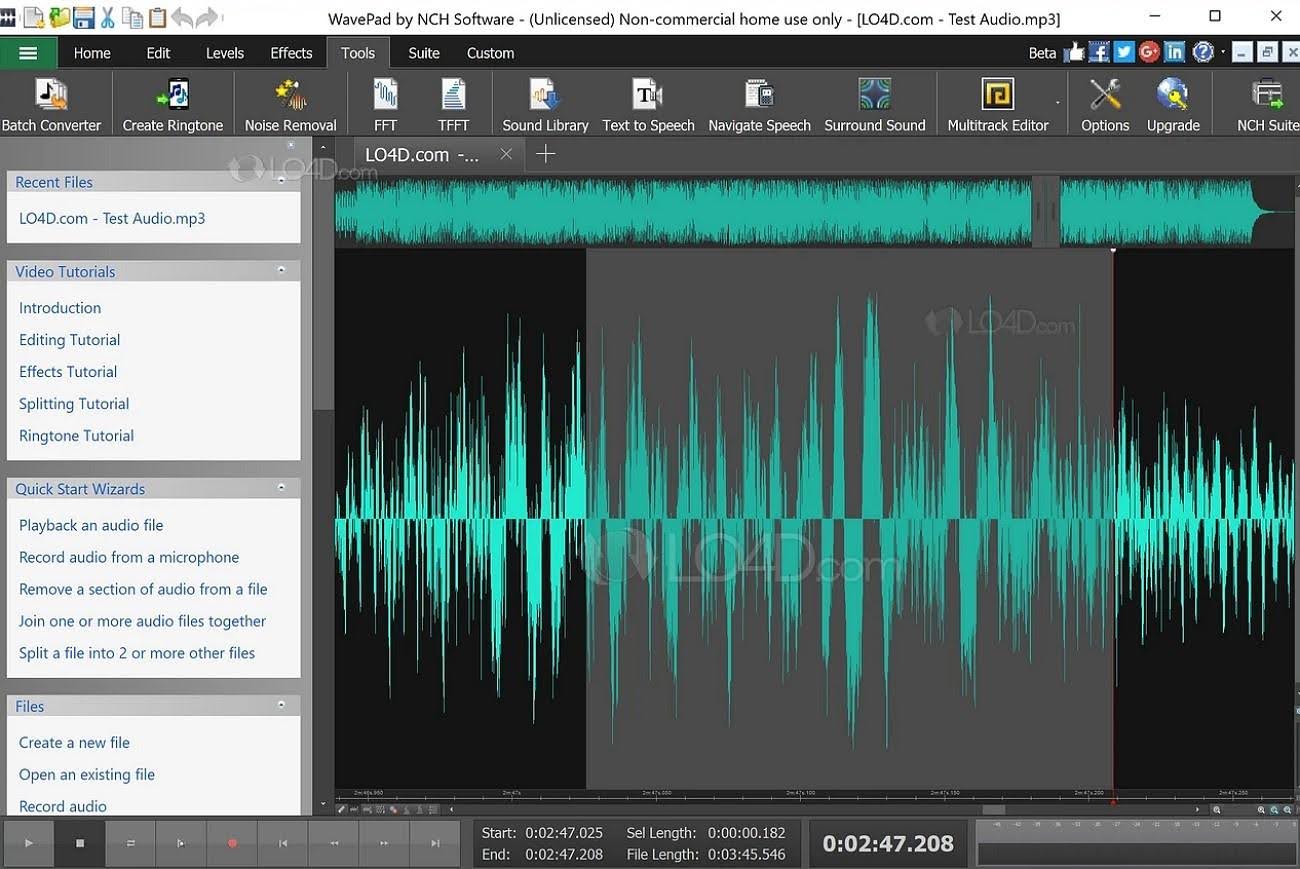
Offering a blend of professional capabilities, WavePad makes audio recording and editing a breeze. Its focus on making user interaction simpler establishes it as accessible for all types of users. This Audacity alternative supports a wide range of audio formats and integrates advanced tools. These include the likes of noise reduction, spectral analysis, and batch processing. Plus, its lightweight setup and fast performance make it a strong choice.
Key Features
- Allows users to apply effects or convert thousands of files as a single function, streamlining audio editing tasks.
- DirectX and Virtual Studio Technology DLL (VST) plugins are included to enhance the workflow.
- Offers audio restoration functions like noise reduction and click pop removal to improve the audio quality.
- Ardour [Best Open-Source Audio Recorder and Manager]
Built with the needs of audio professionals in mind, Ardour is a great Audacity alternative. It combines robust multi-track recording with powerful editing capabilities. This program supports everything from live audio capture to intricate MIDI arrangements. Moreover, it integrates smoothly with hardware setups and plugin suites. Open-source by design, Ardour gives users full control and customization options. Its flexibility makes it a strong choice for those moving beyond basic tasks.
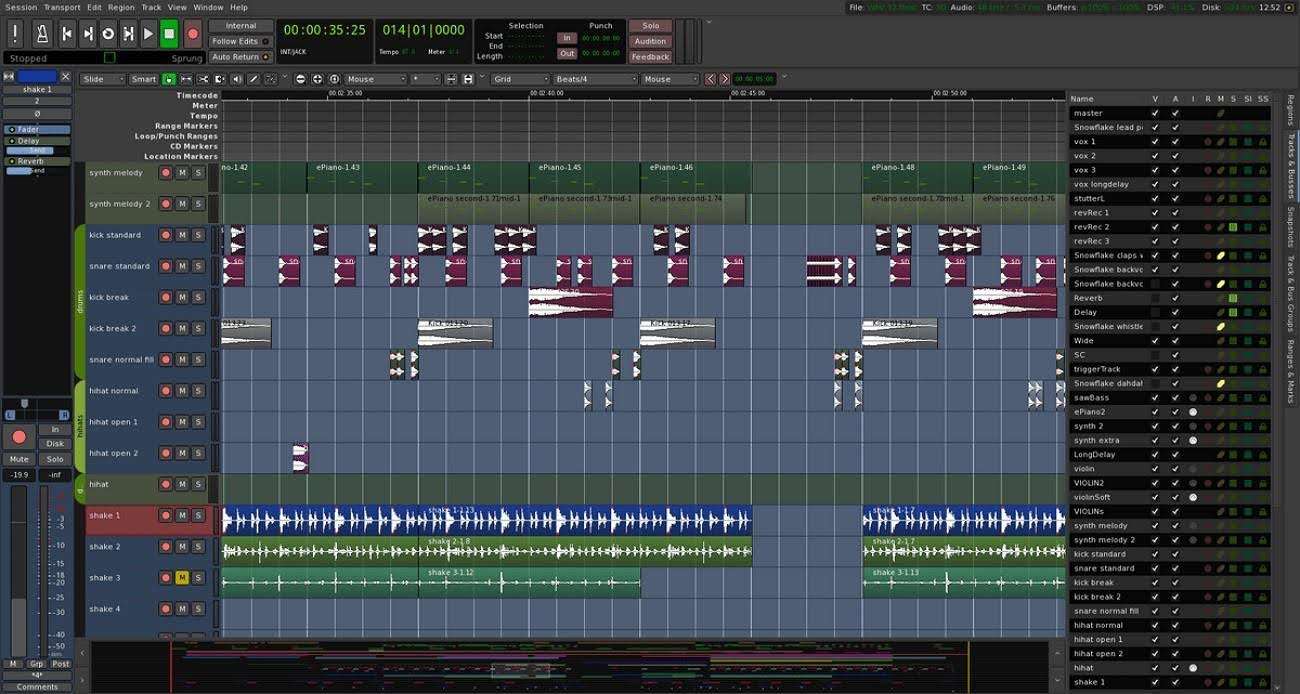
Key Features
- The true tape-style transport allows for any combination of master record and individual track arming.
- Provides sample-accurate sync and shared transport control with video playback tools.
- Ardour's Editor window includes a track canvas where audio and MIDI data can be arranged along a timeline.
- Podcastle [Best Online Audio Recording Facility]
An AI-powered audio and video creation platform, Podcastle is the new standard among such tools. Offering a suite of advanced tools for recording and editing audio content, it is already a fan favorite. Furthermore, this program supports enhancing, transcribing, and exporting content directly from your browser. With features like AI voice cloning, this audio recorder like Audacity is a decent choice. Plus, Podcastle aims to make quality content creation accessible to everyone.
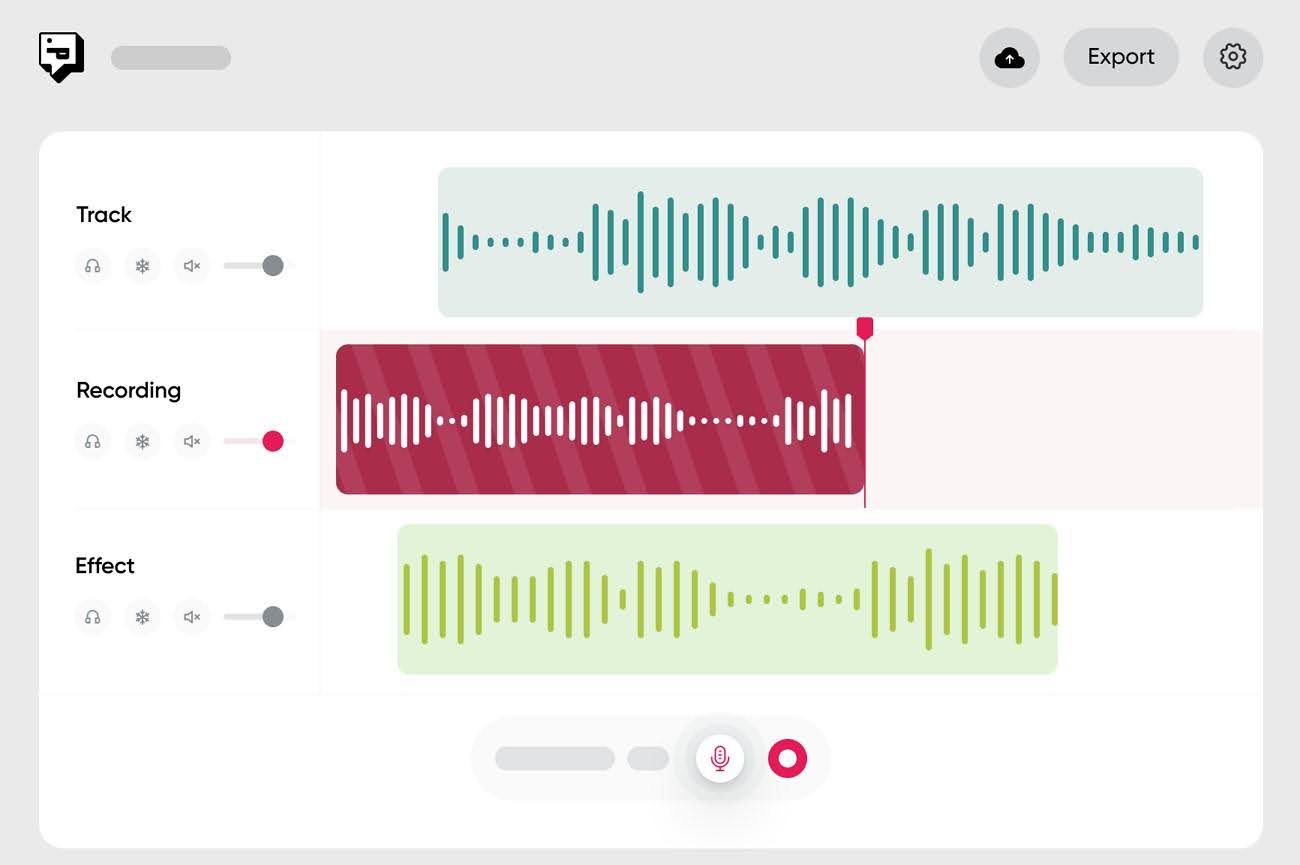
Key Features
- Allows users to edit audio by editing the transcribed text, enabling removal of unwanted segments.
- Offers AI voice cloning capabilities, enabling users to generate voiceovers of their choice.
- Podcastle's "Magic Dust" gets rid of all the unwanted noise pollution from your audio files.
- AceThinker Online Audio Recorder [Best For Quick Audio Recordings]
It is a web-based tool designed for effortless audio capturing. AceThinker enables users to record both system sounds and microphone input directly from the browsers. It offers features like quality audio recording, ID3 tag editing, and a built-in library for managing recordings. This Audacity alternative caters to various needs, from capturing streaming audio to voiceovers. Its dynamic design ensures an effortless experience for all users.
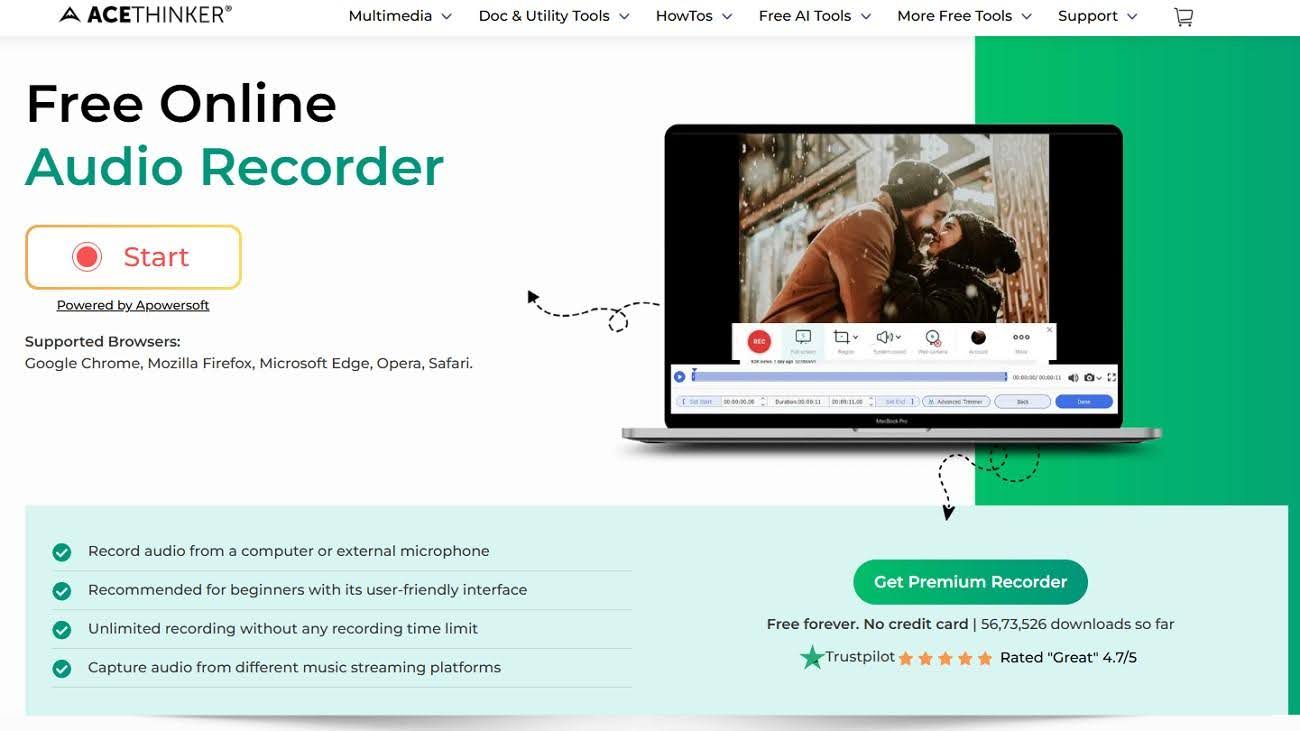
Key Features
- Enables users to capture audio from both the system and an external microphone simultaneously.
- Offers unlimited recording time, allowing users to record lengthy audio sessions without interruptions.
- Includes a built-in audio library that helps users manage and access their recordings efficiently.
- Movavi Screen Recorder [Best For Scheduled Recordings]
Truly a versatile tool, it is designed for capturing screen activity with ease. Movavi Screen Recorder allows users to record webinars, streaming videos, and video calls in high quality. The software supports simultaneous recording of system audio and microphone input. That makes it suitable for creating tutorials and presentations without a hitch. With features like scheduled recordings and basic editing tools, this audio recorder like Audacity is a great choice.
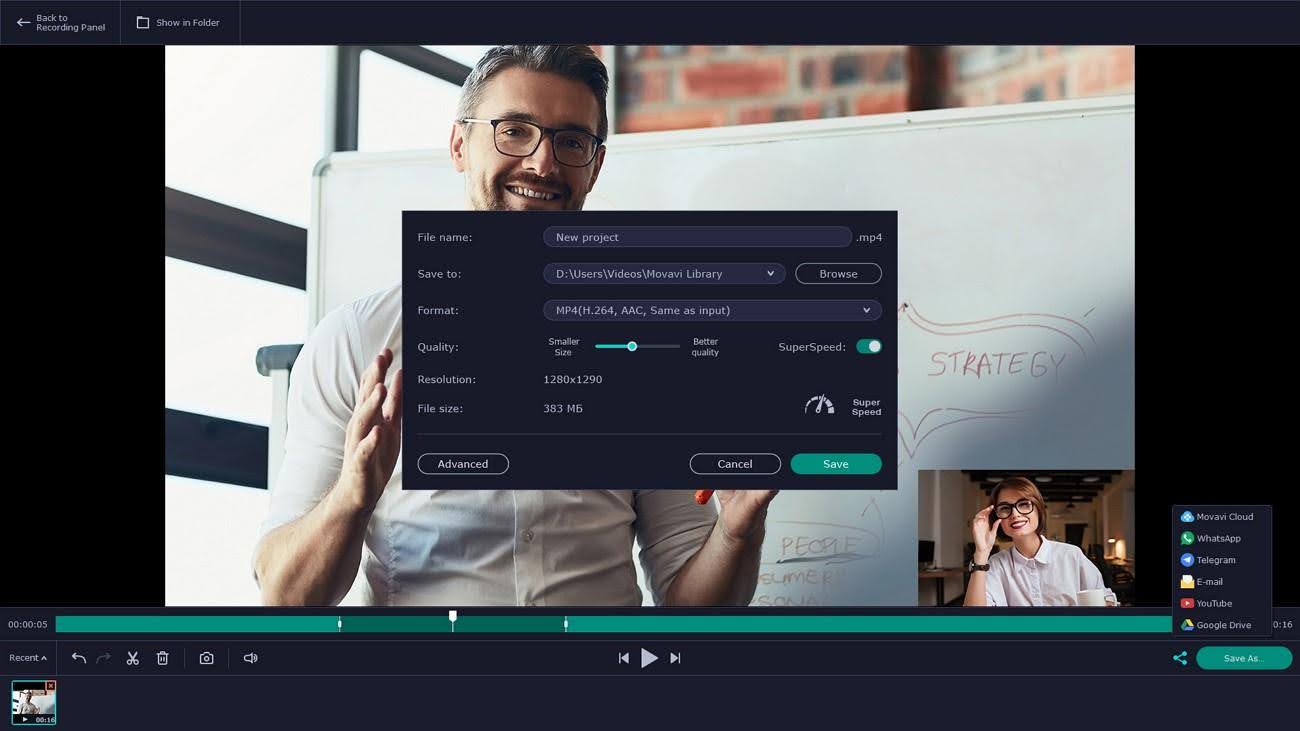
Key Features
- Allows users to schedule recordings in advance, specifying start times and durations.
- Users can draw directly on the video during recording, adding annotations, shapes, and highlights.
- Offers the ability to capture scrolling screenshots, enabling users to record extra content.
Part 3. Making Selection Easy: Tabular Comparison of Top Audacity Alternatives
You have explored the unique strengths of each Audacity alternative. Now, it's time to Consolidate this information for a clearer comparison. The key parameters to do so range from price and compatibility to ease of use. This structured comparison below will assist you in selecting the most suitable software for your audio editing needs:
| Tool | Price | Compatibility | Editing Features | Recording Capabilities | Ease of Use | |
| Wondershare DemoCreator | Get price | Windows 7/10/11, macOS 10.13+ | Advanced video editing, AI tools, virtual avatars | Screen, webcam, system audio, microphone | Intuitive interface with real-time annotations | |
| Adobe Audition | $22.99/month | Windows, macOS | Multi-track editing, spectral display, noise reduction | High-fidelity audio recording | Professional grade with steep learning curve | |
| REAPER | $60 (Discounted license) / $225 (Commercial license) | Windows, macOS, Linux | Extensive plugin support, customizable interface | Multichannel recording | Flexible but requires setup | |
| Wavacity | Free | Windows, macOS | Basic editing tools, plugin support | Standard recording features | User-friendly for beginners | |
| Ocenaudio | Free | Windows, macOS, Linux | Real-time effects, VST plugin support | Single-track recording | Simple and straightforward interface | |
| WavePad | Master Edition: $59.95 / Standard Edition: $34.99 | Windows, macOS | Batch processing, audio restoration tools | Voice and music recording | Easy navigation with comprehensive tutorials | |
| Ardour | Free (donations encouraged) | Windows, macOS, Linux | MIDI editing, automation, and plugin support | Multi-track recording | Designed for professionals | |
| Podcastle | Essentials: $19.99/month, Pro: $39.99/month, Business: $64.99/month | Web-based | AI-powered editing, transcription services | Remote interviews, multi-track recording | Modern UI with AI enhancements | |
| AceThinker Online Audio Recorder | Free (paid options are desktop tools) | Web-based | Basic trimming, ID3 tag editing | System and microphone audio recording | Accessible via browser, no installation needed | |
| Movavi Screen Recorder | $19.95/month, $44.95/year | Windows 7/8/10/11, macOS | On-video drawing, scheduled recording | Screen, webcam, system audio, microphone | User-friendly with built-in tutorials |
Conclusion
In summary, choosing the right audio recorder like Audacity depends on your creative goals and technical needs. While each alternative has its own strengths, Wondershare DemoCreator stands out by a mile. It offers powerful editing, effortless recording, and user-focused design, all in one place. For both a beginner and an advanced user, it adapts to your workflow with minimal effort. As for those seeking quality and simplicity, DemoCreator remains the ideal Audacity alternative.
Frequently Asked Questions
FAQ
-
Which alternative integrates AI-powered transcription for audio files?
DemoCreator offers AI-driven transcription services, converting spoken words into text with high accuracy. This is ideal for podcasters aiming to produce transcripts or subtitles efficiently. -
Which alternative provides a spectral frequency display for detailed editing?
Adobe Audition has this function to enable precise identification and removal of unwanted sounds. This tool is invaluable for detailed audio restoration tasks when working on projects. -
Is there an alternative with built-in voice changer effects?
WavePad includes voice-changing effects, allowing users to modify pitch and timbre. This useful and robust feature lets you create character voices or disguise identities. -
Is there an alternative that offers integrated video editing capabilities?
Wondershare DemoCreator combines screen recording with video editing tools. Doing so allows users to create comprehensive video tutorials with ease. This integration is ideal for educators and content creators.